Your Restaurant Website
Who is this article for?
Account owners, or team members whose role has:
- VAT, discounts and website set to Manage
Set roles in All apps > Setup > Roles.
Included in the Manage and Grow plans.
Smatyx builds your restaurant's website from what is already in the app: your menu with its prices and photos, and your stores with their addresses and opening hours. You add the words and pictures that make it yours.
Build the site
Go to All apps > Customers & Growth > Website and work through the steps on the right:
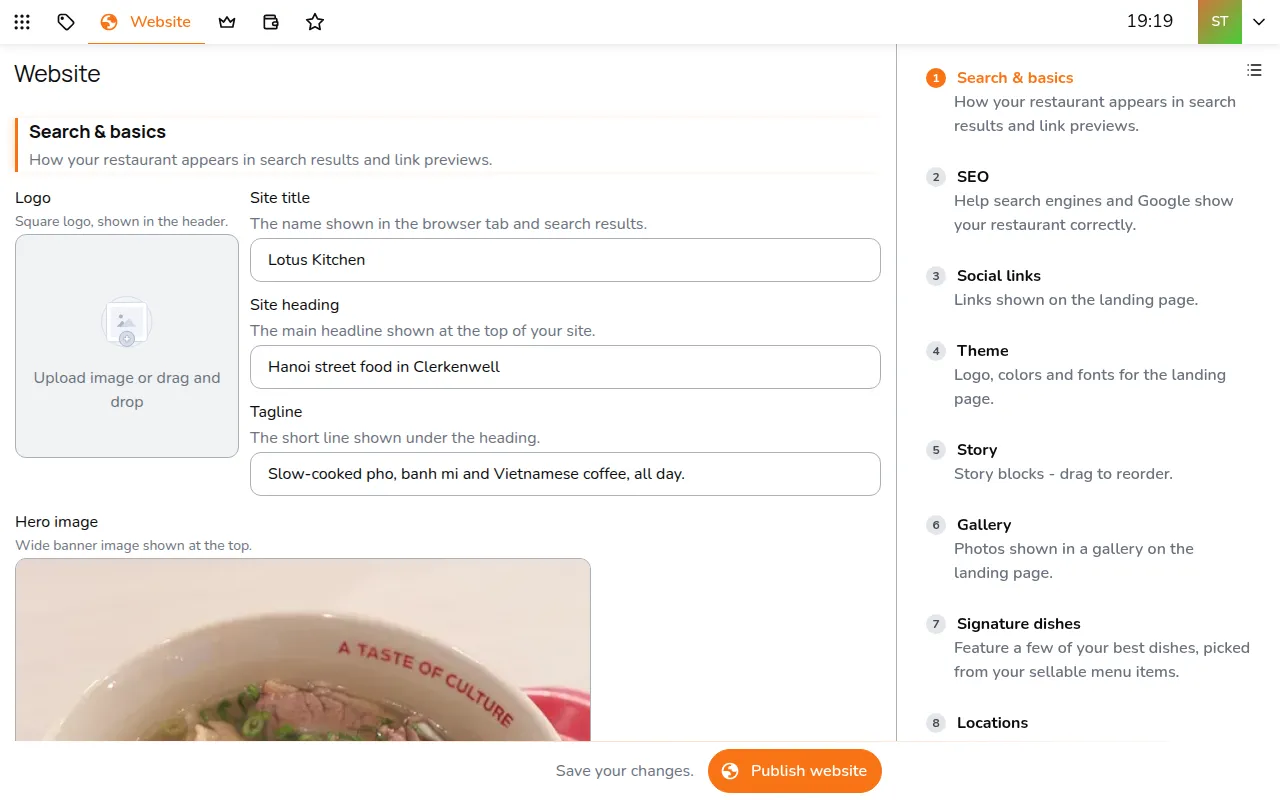
- Search & basics: your logo, the site title and heading, a tagline, a hero image and your about text
- SEO: your cuisine and area, which shape how the site appears in search results
- Social links: Instagram, Facebook and TikTok, and a booking link if you take reservations
- Theme: colours and fonts
- Story: blocks of heading, text and picture. Drag to reorder
- Gallery: photos of the room and the food
- Signature dishes: pick a few dishes from your menu to feature
- Locations: a short line about each store, in the order they appear
- Catering: a catering page, if you offer it
- FAQ and Reviews: common questions, and quotes from happy guests
- Custom domain and Publish
The live Google rating on the site, and Import from Google reviews in Reviews, come from each store's Google listing. Link it in All apps > Setup > Locations: open the store, go to Website display and tap Find my business.
Publish
Publish website saves your changes and puts the site live. After that, publish again to make new changes live. Unpublish takes the site offline and keeps everything you wrote.
Use your own domain
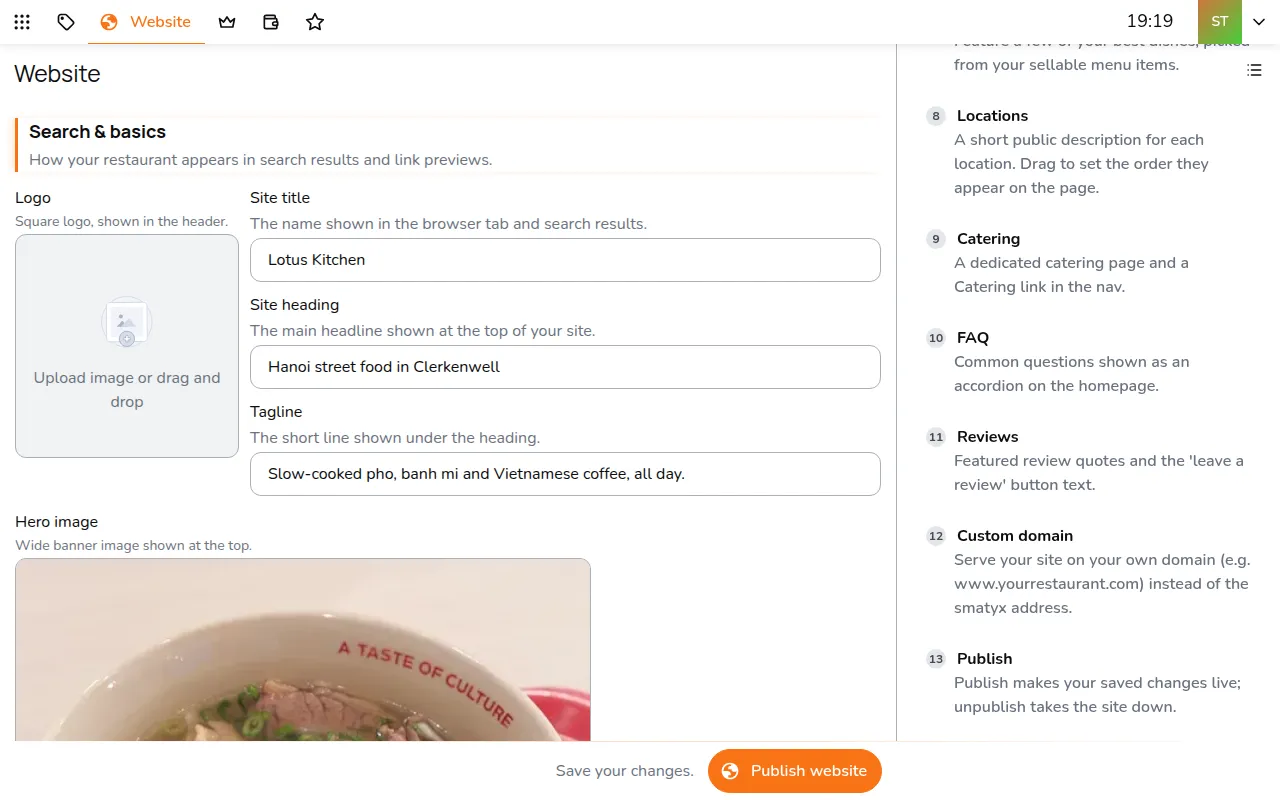
- Open Custom domain and enter your address, such as www.yourrestaurant.com
- Tap Connect domain
- Add the two records it shows at your domain provider
The status shows Pending DNS until the records are found, then Live.